
|
|
The purpose of this instruction is to present how to configure calculation of Information Categories on the basis of specific rules.
To accomplish this task, we have to take some basic steps, including
The calculation rules define into which information category a wind turbine may fall at the certain time period based on the currently active status code.
Information categories are used to define the turbine state, e.g. full performance, partial performance, forced outage. There are 4 levels of information categories, which are standard and cannot be changed. Only on level 5 a user can add specific information categories of lower level to make calculation of information category more detail..
Availability Configurator plug-in is required for performing the following configuration. For more detail information, refer to Configuring Plug-ins.
Let's start the process of configuring the calculation with creating an entry point set. To do this, please, follow the steps below:
 ;
; ;
;
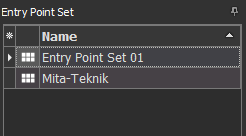
 in the upper left corner.
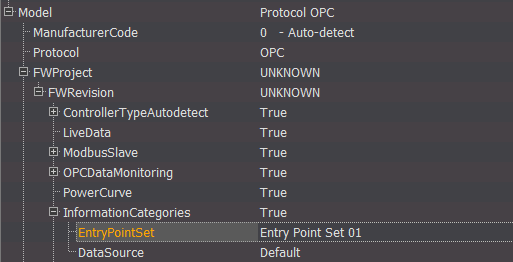
Now we need to assign a recently created entry point set Entry Point Set 01 to the controller Unit 01 in the following way:
The next step is to create the calculation rules, which Entry Point Set 01 will contain. Let's create rule named Electrical Error, which will be defined by status code 41 in the following way:
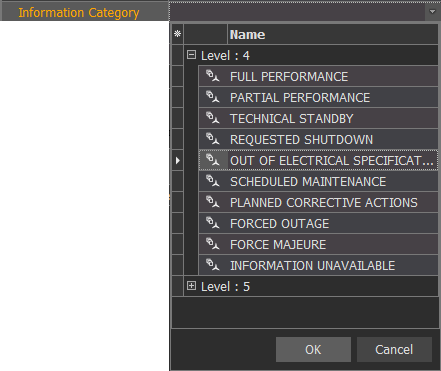
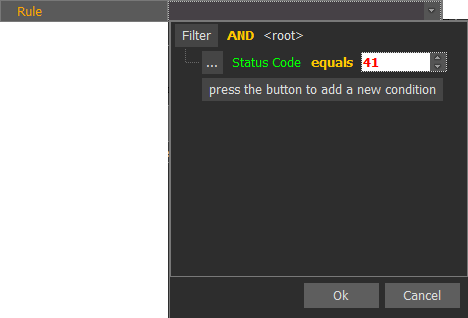
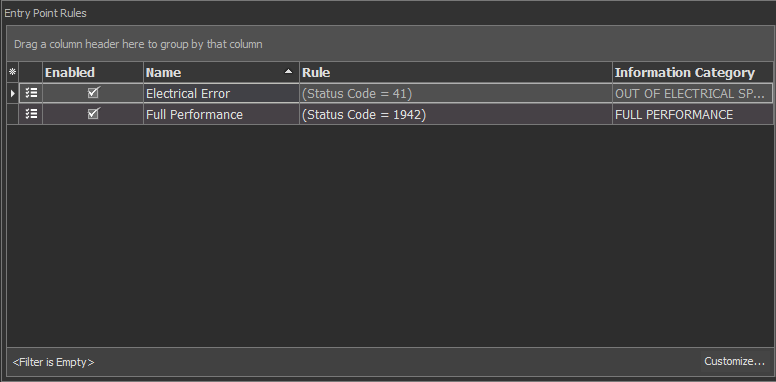
After creating the rule, it appears in the Entry Point Rules area with the information on name, status code and assigned information category.
You can also calculate the Information Categories automatically by following the steps described in Calculate Information Categories Automatically.
The next manual section Configure Availability will provide you with the instructions on how to configure calculation of the Availability.